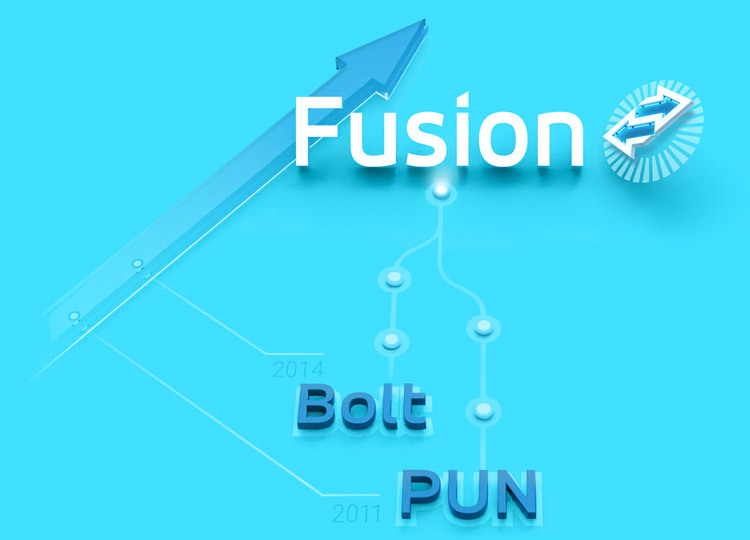
Fusion 是 PUN 的
劃時代進化
Fusion 憑藉其卓越的功能與效能,為狀態傳輸型多人遊戲引擎樹立了新的標竿。未來如有新專案,誠摯推薦您選擇 Fusion,親自體驗這場技術上的創新突破。
感謝社群夥伴們一路以來對 Photon Unity Networking 的學習與投入未來 PUN 也將持續獲得支援,確保您現有或開發中的專案都能安心順利地繼續推進。
PUN 功能
PUN and its community has been instrumental in shaping the landscape for multiplayer game development for over a decade. Its basic, but robust feature set helped developers from all over the world to build and scale their games to global success.
PUN2011 |
Fusion2021 |
||
|---|---|---|---|
| 每場遊戲目標玩家人數 | 16 | 200 | |
| 實時傳輸層: 配對機制、低延遲中繼 |
|||
| 預建功能: 關注區域(AOI)、網路動畫器、網路 KCC、網路物理擴充套件 |
|||
| RPC、狀態複製 | |||
| 效能與頻寬 | |||
| 基於 Tick 的模擬 | |||
| 全域世界、用戶端預測 | |||
| 延遲補償 | |||
| 快照插值 | |||
| Forecast Physics | |||
| Object Priority |
下載
Photon Unity NetworkingAsset Store 套件


熱門資源
輕鬆整合 PUN
由我司和第三方發布的嚴選assets。

將您的遊戲推向全世界
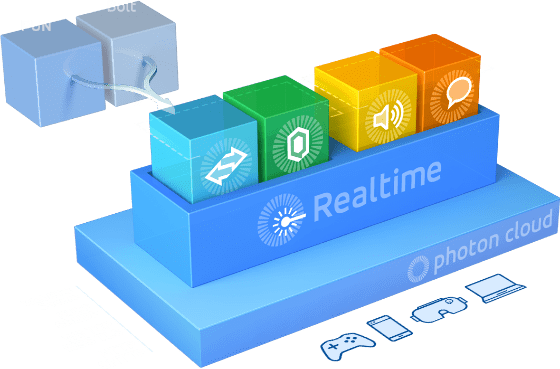
您透過我們 Photon 產品套件開發的所有應用程式都能在 Photon Cloud 上執行。 我們在此將負責服務託管、營運及調整比率。 您可將重心集中在建造遊戲或應用程式!
Photon Shared 模式 - 獨特且高性價比的模式
In a nutshell the Photon Enterprise Cloud is like our well established public Photon Cloud and adds the following features: Runs on dedicated servers, provides guaranteed service levels (SLAs) and high priority support. Another big plus: You can run your own authoritative server logic via Plug-ins. Typical Photon Enterprise Cloud scenarios are apps with 10,000 concurrent users or more, bigger game projects that need authoritative server logic or companies whose compliance policies restrict them to dedicated resources. 有興趣嗎?請您聯絡我們 hello@photonengine.com.
自訂插件 - 由本公司雲端直接管理伺服器權限
所有Photon Cloud產品均基於客戶端到伺服器架構,是多人遊戲最穩定的解決方案! 在點對點架構中,客戶端通常會因 NAT 穿透問題而無法連線。 此問題在Mobile網絡中更加嚴重。但搭配 Photon Cloud,您的遊戲將始終會保持連線。
我們的運營團隊會 24/7 全天候監控伺服器,並可以隨時擴展所需資源。
無論您的遊戲需要數百或數十萬玩家同時上線,我們都會根據您的需求對其進行擴展。
PHOTON CLOUD 區域
為玩家打造的低延遲遊戲環境
低延遲是即時多玩家遊戲中最重要的需求。基於此因素,Photon Cloud 在全球主要區域皆設有主機,以提供您的玩家最低延遲效果。 遊戲視低延遲而定,如 FPS 或 RTS 遊戲類型,都會將玩家連接至最近的區域。可處理高延遲的遊戲 (例如回合制遊戲類型) 能將所有玩家連接至相同的區域。

UNET
PUN
代碼範例
Photon Unity Networking (PUN) re-implements and enhances the features of Unity’s built-in networking. Under the hood, it uses Photon’s features to communicate and match players. The API is very similar to Unity’s. Developers with prior networking experience in Unity will feel at home immediately. An automatic converter assists you porting existing Unity multiplayer projects.

連接
PhotonNetwork.ConnectUsingSettings("1.0");
連線至我們平衡負載的伺服器易如反掌。 您可利用傳入字串區分版本或用於集合用戶端。
加入遊戲
PhotonNetwork.JoinRandomRoom("1.0");
若要加入任何現有遊戲 (通常也指空間),這就是必要步驟。 最大玩家數量及特定遊戲標準的篩選為選擇性加入。
建立遊戲
                                public void OnConnectedToMaster()
                                {
                                PhotonNetwork.CreateRoom("Room42", true, true, 4);
                                }
Set up a new room using CreateRoom. Hand it over the room’s name, the room’s ability to be found by others, the option for others to join in and the max player count.
開始多人玩家
                                PhotonNetwork.RaiseEvent( (byte) eventCode,
                                (object) eventContent,
                                (bool) sendReliable
                                );
交換遊戲資料、設定遠端物件內容,由 RPC 負責傳送。
如需進一步範本、完整快速啟動教學、示範及參考資訊,請參閱 Online Documentation 用於 Photon PUN.
立即下載免費套件!
這裡有很多好夥伴
加入到 80 萬名開發者和工作室。



作品分享,選自 849,933 個由我們雲端託管的應用程式。